
Meta Ads for Service Businesses: How to Start with $500/Month
You've been told Meta ads are too expensive, too complicated, or only work for e-commerce. None of that is true for service businesses with $500/month to spend.
The problem isn't the platform. The problem is that most small service businesses set up their first campaign the wrong way: boosting posts, running one ad with no creative variety, and measuring the wrong things. Then they burn through $500 in two weeks and decide Meta ads don't work.
They work. You just have to set them up for lead generation, not brand awareness.
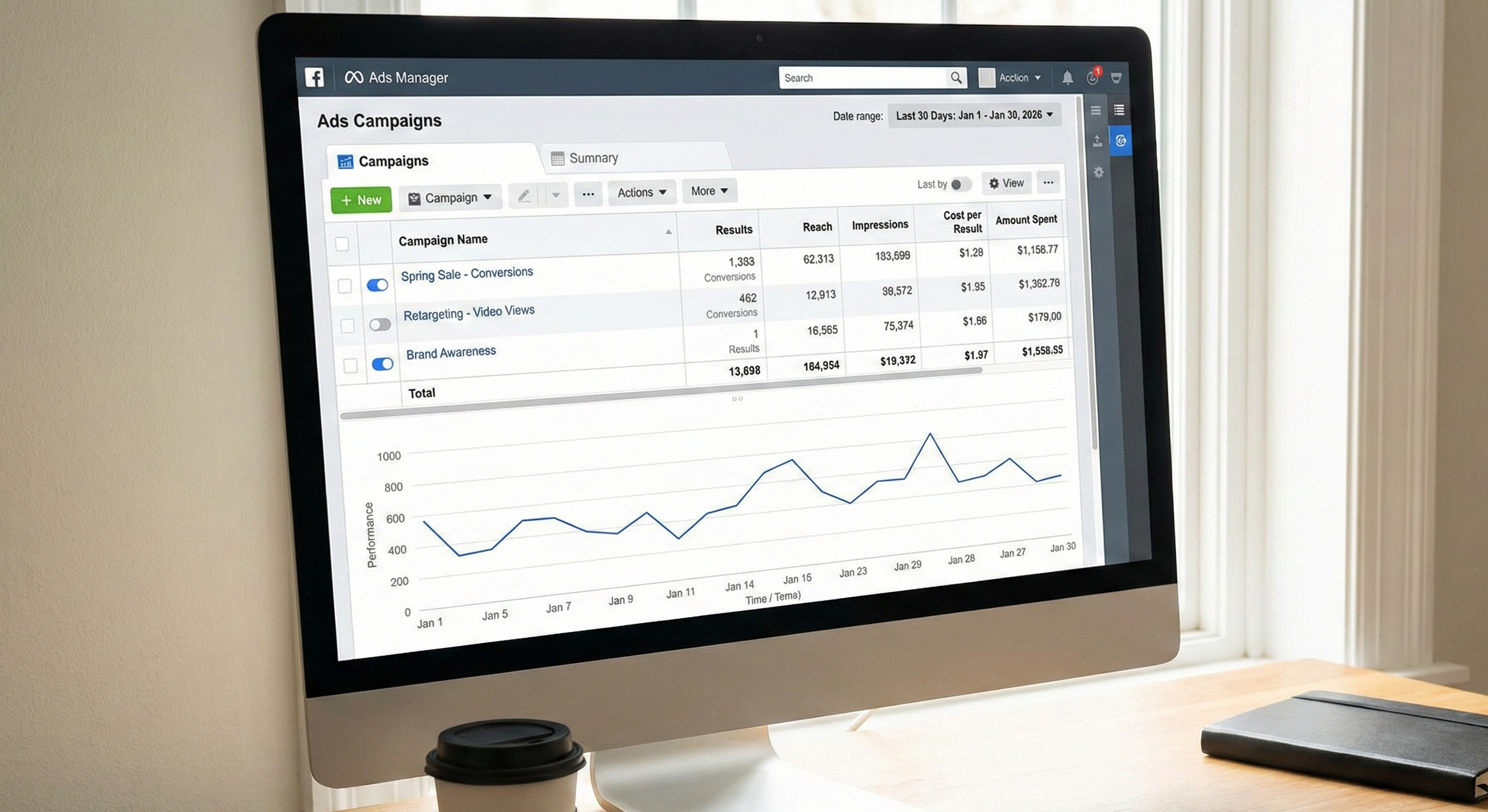
Meta ads management for small and medium businesses.
Why $500/Month Is Enough to Start
A $500 monthly budget gives you roughly $16/day. That's enough for Meta's algorithm to optimize delivery and collect meaningful data, if you're running one focused campaign instead of spreading it across five.
The math: if your average customer is worth $2,000 and your cost per lead from Meta lands at $25-50 (realistic for most service businesses), $500/month gives you 10-20 leads. Even if only 20% convert, that's 2-4 new clients from a $500 spend.
Where businesses fail at this budget: running three campaigns at $5/day each. Meta's algorithm needs at least $10-15/day per ad set to exit the learning phase. One campaign, one ad set, focused targeting.
The Campaign Structure That Works for Service Businesses
Forget awareness campaigns. Forget engagement campaigns. For a service business spending $500/month, run a single lead generation campaign with this structure:
Campaign level: Lead generation objective. This tells Meta to show your ads to people likely to take action, not just people likely to scroll past.
Ad set level: One ad set. Start with a geographic radius that matches your service area, layered with interest or behavior targeting that matches your ideal client. For a home services business, that might be homeowners in your zip codes. For a coaching business, small business owners interested in professional development.
Ad level: Start with two ads. One short-form (a direct value proposition with a clear offer) and one longer-form (a client story or specific result). Let them run for two weeks before deciding which performs better.
Meta matches each creative to the users most likely to respond to that specific message. More distinct concepts give the algorithm more to work with.
Targeting in 2026: Your Creative is Your Targeting
If you learned or ran Meta ads before 2025, you probably learned to stack interests, narrow by age, and build Lookalike audiences. That playbook is outdated.
Meta's Andromeda update, fully rolled out in October 2025, changed how ad delivery works. The system no longer relies primarily on the audience parameters you set. It reads your creative, identifies which users are most likely to respond to that specific message, and delivers accordingly.
For service businesses, this means one thing: go broad on demographics, stay narrow on geography. Set your service area radius and let Meta handle the rest.
Your customer email list still matters, but differently. Upload it as a Custom Audience signal, but don’t use it as a hard boundary.
Andromeda uses that data to learn patterns about your buyers, then finds similar people on its own. You don't need to manually build Lookalikes and test audience percentages anymore.
The targeting work has shifted. Instead of spending hours building audience segments, spend that time on creative.
Four ads built around different pain points will outperform one ad shown to a perfectly segmented audience. Under Andromeda, creative diversity is what tells Meta who should see your ads.
The Ad Creative That Generates Leads (Not Likes)
Your creative now does double duty. It's both the message and the targeting signal. Meta's system reads the visual, the copy, and the concept, then matches it to users whose behavior patterns suggest they'll respond.
This means you can't run two similar ads and call it a test. You need distinct concepts that speak to different motivations.
For a service business on $500/month, aim for four to six distinct ads. Each ad should represent a different reason someone would hire you.
A before-and-after client result. A direct offer with a specific dollar amount or timeframe.
A pain point that makes someone stop scrolling. A short testimonial paired with a real photo.
Real photos outperform stock and AI-generated images. "Schedule a free 15-minute consultation" converts better than "Learn more." If your ad could work for any service business in any city, it's too generic for Andromeda to match effectively.
One critical change from the old playbook: Meta now penalizes creative that looks too similar. If you run five versions of the same concept with minor tweaks, the algorithm treats them as one ad and raises your costs. Andromeda rewards variety in format, angle, and visual approach.
Keep your primary text under 125 characters visible (Meta truncates after that). Front-load the value. Refresh your creative every two to four weeks, because Andromeda burns through winning ads faster than the old system did.
Set Up Tracking Before You Spend Anything
Install the Meta Pixel on your website. Set up the Conversions API if your web platform supports it. Without these, you're spending money blind.
Meta's Pixel tracks what happens after someone clicks your ad. Did they visit your booking page? Fill out your contact form?
Without tracking, Meta can't optimize delivery toward actual results, and you can't measure whether your $500 produced anything.
If you're using a lead form directly in Meta (instead of sending traffic to your website), you can skip the Pixel for now. But set up instant form notifications so you're responding to leads within an hour, not a day. Lead response time directly impacts conversion rates.
What to Expect in the First 30 Days
The learning phase takes longer than the old system. At $500/month, expect the full first month to be a learning period where Meta is figuring out which of your creatives resonates with which users.
Cost per lead will be higher in weeks one and two. Don't panic and don't start making changes. The algorithm needs roughly 50 conversion events to optimize effectively, and at this budget, that takes time.
By week three or four, patterns should emerge. You'll see one or two of your ads pulling most of the budget, which is Meta telling you which concepts work.
Leads coming in at $25-50 each means the system is learning well. Below $25 you’re ads are performing well and you should keep optimizing to drive cost down.
Above $75-100 per lead after 30 days? The problem is almost certainly your creative, not your targeting. The fix is always more creative diversity, not tighter audience settings.
Swap out underperforming ads for new concepts built around different angles.
After 30 days, you'll have real data. Scale budget toward your winning creative, retire what isn't working, and introduce fresh concepts to keep the algorithm fed.
The $5/Day Starting Point
If $500/month feels like too much, start smaller. Our free $5 Ad Guide walks through setting up your first Meta campaign at just $5/day. It covers the same campaign structure, targeting approach, and tracking setup described here, scaled for a tighter budget.
Once you see results at $5/day, scaling to $500/month becomes a much easier decision because you already know it works for your business.
Download the $5 Ad Guide to set up your first campaign today, or book a discovery call to talk about our Ads Partner retainer, where we manage the whole thing for you.
Frequently Asked Questions
-
$500/month is a solid starting point for most service businesses. It provides enough daily budget ($16/day) for Meta's algorithm to optimize and generate 10-20 leads, depending on your industry and targeting. Start at $5/day if you need to test before committing a larger budget, then scale once you see what cost per lead your business produces.
-
Yes. Under Meta's newest system, the recommendation is broad demographics with geographic restriction. Local service businesses still need geographic targeting to keep delivery within their service area.
Set your radius, upload your customer list as a signal, and focus effort on creative variety rather than audience segmentation.
-
Ads Manager. Boosting posts limits your targeting options, doesn't allow lead generation objectives, and gives you minimal control over placement and optimization. A properly structured campaign through Ads Manager will consistently outperform boosted posts at the same budget, because you can target the right people with the right objective and track actual results.